

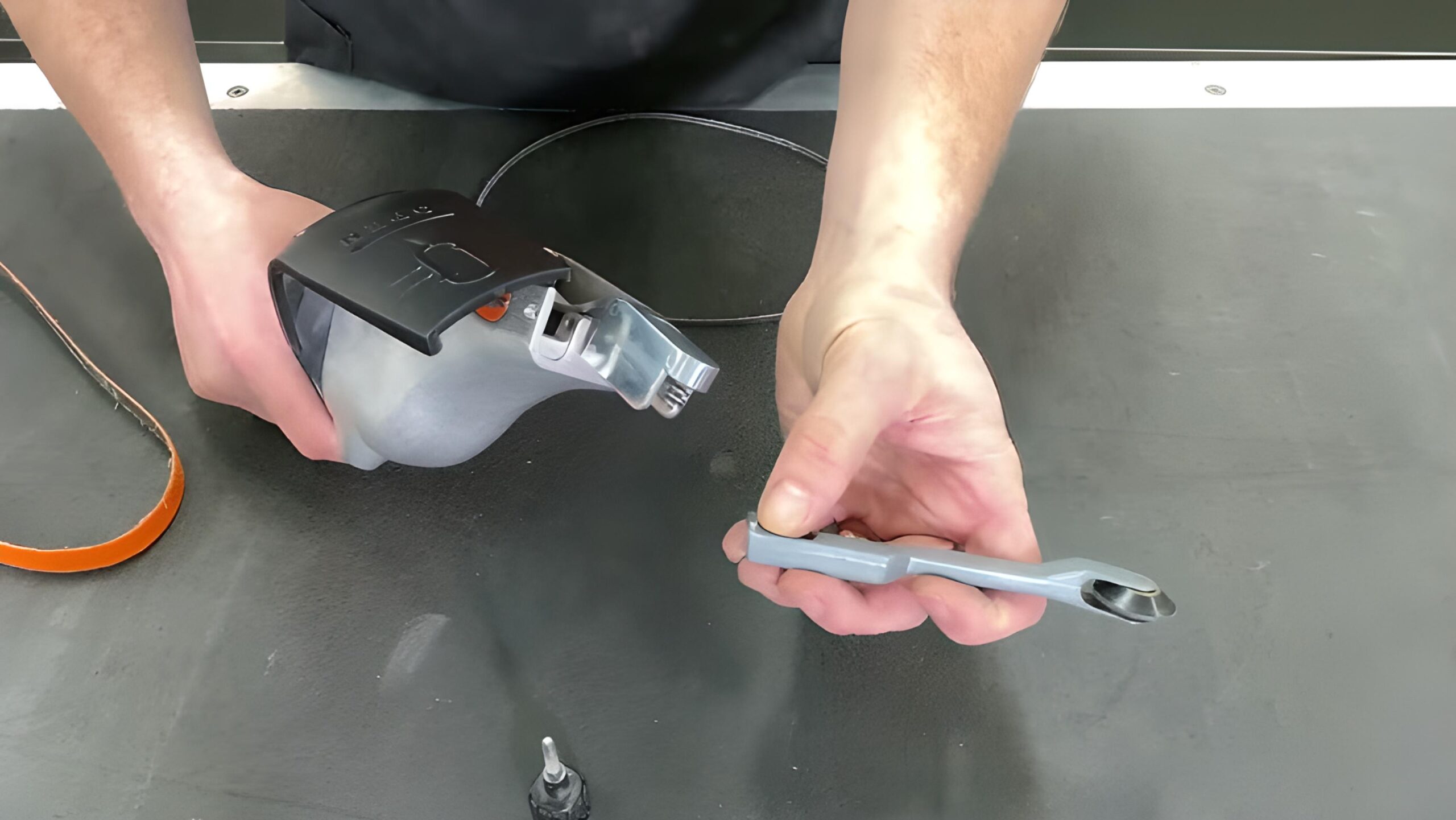
Replacing a contact arm on your Dynabrade tool is a simple maintenance task that can restore tracking, belt tension and overall performance. Whether your arm is worn, damaged or you’re switching to a different belt width, following the correct procedure ensures your tool stays reliable and safe to operate.
Contact arms are consumable components — they endure high heat and friction during use, so periodic replacement keeps your Dynabrade tool performing like new. The process takes only a few minutes and requires minimal tools.
When to Replace a Contact Arm
- Excessive belt slippage or poor tracking.
- Noticeable wear on the arm’s contact wheel or platen pad.
- Cracked, seized or wobbly wheel bearings.
- Switching to a different belt width or application.
Tools You’ll Need
- Allen key or hex wrench (usually 3/16″ or 5 mm)
- Spanner or adjustable wrench
- Replacement Dynabrade contact arm
- Replacement belt (matched to your new arm size)
- Light machine oil (optional, for bearing lubrication)
Step-by-Step: Replacing the Contact Arm
- Disconnect Air Supply
Ensure the tool is isolated from compressed air or power before starting. - Remove the Belt
Release belt tension using the quick-release lever and slide the belt off the rollers. - Loosen the Mounting Screw
Use the Allen key to remove the socket-head screw that secures the contact arm to the tool housing. - Remove the Old Arm
Gently slide the contact arm out of its mounting slot — avoid forcing or twisting it. - Install the New Arm
Insert the new contact arm until seated fully, ensuring alignment with the drive wheel. - Tighten the Mounting Screw
Secure the arm firmly, but do not overtighten — overtightening can distort the housing. - Refit the Belt
Place the belt over both pulleys and reset the tension lever. Adjust tracking until the belt runs true.
Once installed, run the tool briefly to check belt tracking and ensure smooth rotation. Adjust tracking via the small thumb screw if necessary.
Contact Arm Maintenance Tips
- Inspect wheels and bearings regularly for wear or play.
- Keep arm surfaces clean and free from abrasive buildup.
- Use only genuine Dynabrade contact arms to maintain performance and fit.
- Store spare arms in a clean, dry environment to prevent corrosion.
Compatible Models
Most contact arms are interchangeable across the Dynafile Series and other Dynabrade abrasive belt tools. Common replacements include:
| Contact Arm Part No. | Compatible Tool | Belt Size |
|---|---|---|
| 11203 | Dynafile II (40320 Series) | ½″ × 18″ (13 mm × 457 mm) |
| 11204 | Dynafile II (40321 Series) | ¼″ × 24″ (6 mm × 610 mm) |
| 11230 | Dynafile II / Dynabelter | ¾″ × 20″ (19 mm × 508 mm) |
Where to Buy Replacement Contact Arms
You can order all genuine Dynabrade replacement arms and parts directly from DynaShop:
- Contact Arms & Assemblies – full range for Dynafile I, II and III.
- Contact Wheels – individual wheels and bearing kits.
Tip: Not sure which arm fits your tool? Email your model number and current belt size to [email protected] and our technical team will help identify the correct replacement.
Keywords: dynabrade contact arm replacement, dynafile contact arm, how to change contact arm dynabrade, dynabrade parts, dynabrade maintenance, dynafile ii contact arm 11203, dynabrade contact wheel replacement.